


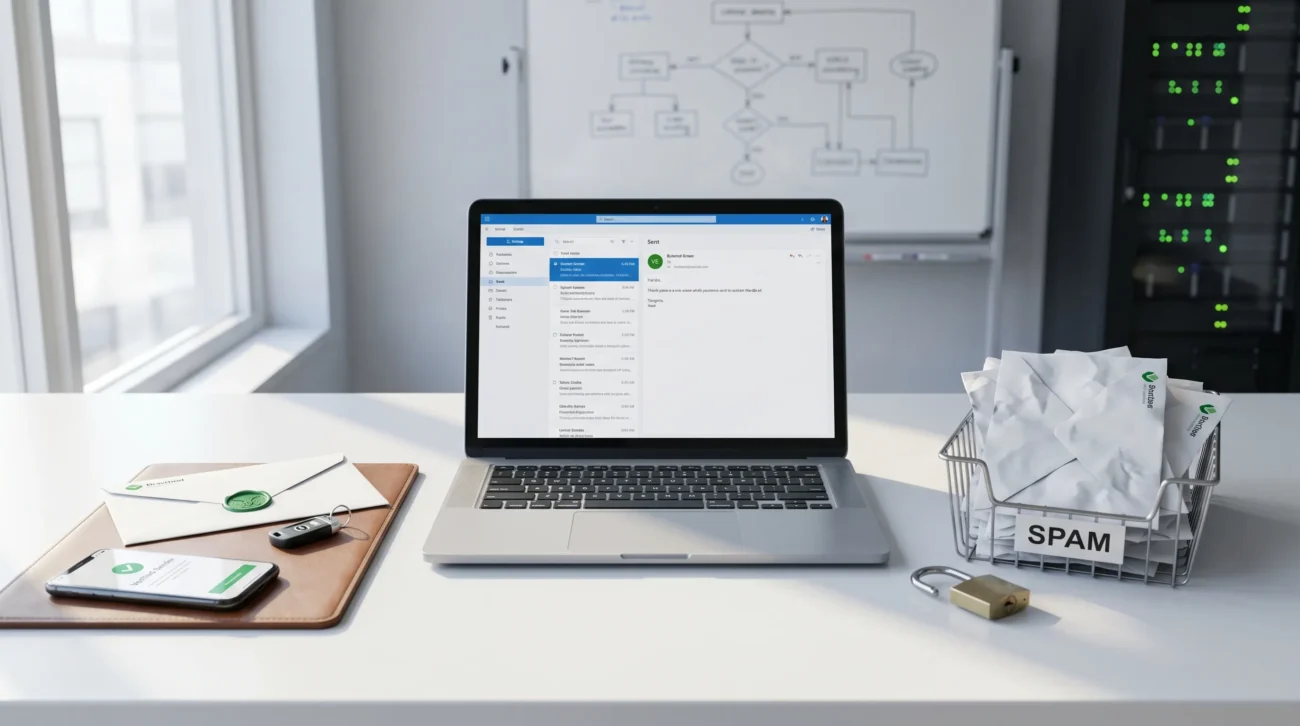
How much important is the authentication process in email marketing is a question every brand, marketer, and business owner should take seriously, because email authentication is one of the main factors behind email deliverability, email security, brand trust, and long-term sender reputation. You can write a great campaign, build a clean list, and offer a strong product, but if your emails are not properly authenticated, they may still land in spam, get blocked by spam filters, or make recipients doubt whether your message came from a legitimate source.
In simple terms, the authentication process in email marketing proves that your emails are actually being sent by an authorized server and not by a scammer pretending to be your brand. That matters for both marketing strategy and security. It protects your domain, improves trust with email service providers, helps prevent phishing attacks, reduces spoofing, and makes your messages look more like legitimate marketing emails instead of potential spam. In today’s environment, where inbox providers care deeply about trust and verification, email authentication in email marketing is not optional. It is a core part of sending safe, reliable, and high-performing campaigns.
What Is Email Authentication?
Email authentication is the process of verifying that an email really came from the domain it claims to come from. It helps mailbox providers confirm the authenticity of email content, the identity of the sender, and whether the message was sent through an authorised server connected to the correct domain.
Think of it like a digital trust system. When a business sends an email newsletter, promotional offer, or automated message, inbox providers want proof that the email is genuine. Without that proof, the message may look suspicious. This is where the authentication process works behind the scenes. It uses DNS records, digital signature methods, and policy rules to show whether the sending source is valid.
This matters because email is one of the easiest channels for fraudsters to abuse. If someone can impersonate your domain, they can send forged emails, run phishing scams, and damage your brand reputation. Proper authentication protects domain owners, supports email integrity, and creates a more trustworthy email ecosystem for both senders and recipients.
Why Email Authentication Matters for Email Marketing
If you are wondering why is email authentication important for marketing, the answer is straightforward: it affects whether your emails are trusted, delivered, opened, and acted on. In other words, it is closely tied to your results.
First, authentication improves deliverability rates. When inbox providers can verify your identity, they are more likely to place your messages in the inbox instead of routing them to junk folders. That does not guarantee perfect inbox placement, but it gives your campaigns a much stronger foundation. This is one reason marketers often ask how authentication affects email deliverability and how authenticated emails bypass spam filters.
Second, authentication protects your sender reputation and brand reputation. Every time your domain sends a legitimate email, it builds a history. But if bad actors spoof your domain, that trust can fall quickly. A damaged reputation affects future campaigns, even when your content is good. Strong authentication acts as a defense against email spoofing, email fraud, and phishing attempts that can harm both your business and your customers.
Third, it supports customer trust. People are more likely to engage with a brand when they feel the communication is safe. In a crowded inbox, trust matters. If recipients suspect that your email may be fake, they may ignore it, delete it, or report it. That hurts engagement rates, clicks, and conversion rates.
Finally, authentication matters because modern email marketing is no longer just about writing subject lines and sending promotions. It is about running a safe, verified, and measurable communication channel. That is why email authentication for marketing has become a serious business priority, not just a technical afterthought.
The Four Main Authentication Methods
Many articles talk about the 4 types of email authentications, and this is the most useful place to start. The four main methods are SPF, DKIM, DMARC, and BIMI. Together, they form the backbone of modern email security and brand verification.
-
SPF: Sender Policy Framework
SPF tells receiving mail systems which authorized IP addresses or mail servers are allowed to send email on behalf of your domain. It works through a DNS entry that lists approved sources. When a message arrives, the receiving server checks whether the sender matches that list.
This is why people ask how SPF works in email authentication. SPF helps prove that the message came from an authorized server, not a random system pretending to be your brand. It is a useful first layer of defense, especially against simple spoofing attempts.
-
DKIM: DomainKeys Identified Mail
DKIM adds a digital signature to outgoing messages. That signature is linked to a public key stored in your domain’s DNS records. When the email reaches the recipient, the server checks the signature to confirm that the content has not been changed and that the message is tied to the correct domain.
This is central to email integrity. If someone tries to alter the content of a message, the validation can fail. That is why marketers often search how DKIM works in email authentication and why it matters for secure communications.
-
DMARC: Domain-based Message Authentication, Reporting and Conformance
DMARC builds on SPF and DKIM. It tells receiving servers what to do when authentication fails and gives domain owners reporting data. In plain language, it helps you decide whether suspicious messages should be monitored, quarantined, or rejected.
This is where terms like reject quarantine or take no action come in. DMARC gives businesses more control and more visibility. It is also one of the best tools for learning how your domain is being used across platforms and whether your authentication setup is working properly.
-
BIMI: Brand Indicators for Message Identification
BIMI is more brand-focused. It allows brands to display a verified logo in supporting inboxes, creating stronger brand trust and brand recognition. It does not replace SPF, DKIM, or DMARC, but it complements them by making trust more visible.
When marketers ask how BIMI improves trust, the answer is simple: it adds a visual trust signal inside the inbox. That can reinforce brand identity and improve confidence at the moment a recipient decides whether to open the email.
The Real Business Benefits of Email Authentication
The biggest mistake some marketers make is thinking authentication is only an IT concern. In reality, the benefits of email authentication directly connect to performance.
Here is a simple view:
| Business Area | How Authentication Helps |
|---|---|
| Deliverability | Increases the chance of reaching the inbox |
| Security | Reduces spoofing, fraudulent actions, and phishing |
| Brand Trust | Makes emails feel safer and more credible |
| Reputation | Supports a healthier sender reputation and domain reputation |
| Engagement | Better inbox placement can improve open rates and clicks |
| Compliance | Supports safer handling of sensitive data and policy standards |
When authentication is set up correctly, your brand is sending stronger trust signals to inbox providers. That can influence how often your emails are accepted, where they appear, and how recipients perceive them. Some competitor content references examples like a 25% increase in email deliverability and a 15% increase in open rates after authentication improvements. Even if results vary by business, the message is clear: authentication can strengthen email performance and support more consistent campaign outcomes.
That is why many businesses now treat authentication as part of conversion strategy. It is not only about staying out of spam. It is about protecting the path between your brand and your audience.
How Authentication Reduces Phishing, Spoofing, and Fraud
One of the strongest reasons how important is authentication in email marketing keeps coming up is the growing risk of phishing attacks and email fraud. If a criminal impersonates your domain, the damage goes far beyond one fake message. Customers can lose trust, support teams get overwhelmed, and your brand may look careless or unsafe.
Authentication helps reduce that risk by proving which messages are real. SPF checks whether the sending source is approved. DKIM checks whether the message content has been altered. DMARC tells mailbox providers how to handle suspicious messages and sends feedback to the domain owner.
This layered approach supports fraud prevention and domain protection. It also makes it harder for attackers to send forged emails that appear to come from your business. Some case-style examples in competitor content mention a 40% reduction in phishing attempts after stronger authentication policies were introduced. Even when exact outcomes differ, the direction is obvious: better authentication leads to safer email communication.
For any brand that relies on trust, this matters. Whether you sell products, nurture leads, or send account-related messages, people need confidence that your emails are genuine.
How to Implement Email Authentication Step by Step
If you want to know how to implement email authentication, the process is easier to understand when broken into steps.
Start by reviewing how you currently send email. Many businesses use multiple tools for newsletters, CRM workflows, transactional messages, support emails, and internal communications. Each of those tools may send on behalf of your domain, so you need to know all of them before publishing new records.
Next, publish or update your SPF record in DNS so it includes your approved sending services. Then enable DKIM for each platform that supports it. Most modern email tools provide a setup wizard or copy-and-paste DNS records for this.
After that, add a DMARC record. A gradual rollout is usually smart. Many brands begin with a monitoring approach before moving toward stricter enforcement. This lets you review reports, identify unexpected senders, and fix gaps before applying harder policies.
If your brand wants stronger visibility in the inbox, you can later look at BIMI. That normally comes after the basics are working properly.
A practical implementation path looks like this:
- Audit all sending sources
- Set up SPF
- Enable DKIM
- Add DMARC
- Review reports
- Fix alignment and sending gaps
- Consider BIMI for branding
This is also why use third-party tools for authentication checks is common advice. Testing platforms, report dashboards, and deliverability tools can make setup easier, especially for teams without deep technical experience.
Best Practices for Marketers Managing Authentication
The best-performing brands treat authentication as an ongoing process, not a one-time task. A few best practices for email authentication in marketing make a big difference.
First, keep marketing and technical teams aligned. Authentication sits at the intersection of marketing and IT teams, so poor communication often leads to gaps. A campaign manager may add a new sending platform without telling the person who manages DNS, and suddenly a valid campaign fails checks.
Second, document every sending service connected to your domain. This is especially important if you use a CRM, automation platform, newsletter tool, billing system, or support platform. Unknown tools can create hidden problems.
Third, monitor performance regularly. Review message authentication reports, bounce patterns, spam filters, and complaint signals. Monitoring is how you catch problems before they harm customer relationships or reduce reach.
Fourth, train your team. Team education matters because even a solid setup can weaken over time if people add new tools carelessly or misunderstand how domain-based sending works.
Finally, think long term. Authentication supports secure communications, but it also supports growth. As your list gets larger and your campaigns become more important, the cost of weak setup rises. Strong systems scale better.
Why Authenticated Emails Still Go to Spam
This is one of the biggest gaps in competitor content, and it matters a lot. Many marketers assume authentication alone solves everything. It does not.
You can have SPF, DKIM, and DMARC in place and still struggle with inbox placement. Why? Because inbox placement vs deliverability is not the same thing. Deliverability often means a message was accepted by the receiving system. Inbox placement means it actually landed in the main inbox rather than spam or promotions.
Other factors still matter: list quality, engagement history, sending frequency, content style, complaint rates, old contacts, and overall sender reputation. If recipients rarely open your emails, delete them quickly, or mark them as unwanted, authentication will not fully protect you.
So, why authenticated email still goes to spam is usually a broader reputation issue, not proof that authentication is useless. In fact, authentication is the baseline. It gives your messages a fair chance. But your overall email practices still determine how much trust you earn over time.
DMARC Alignment Explained in Plain English
Another topic competitors barely explain is DMARC alignment. This is important because marketers often think, “We already have SPF and DKIM, so we are done.” Not always.
DMARC alignment means the domain used in SPF or DKIM should align properly with the visible “from” domain that recipients see. If that relationship is broken, your message may still fail DMARC even if some technical checks pass in the background.
That is why SPF alignment, DKIM alignment, and domain alignment are so important. A brand may use a third-party platform that signs email with the wrong domain or sends through a mismatched return path. From a marketer’s point of view, the email looks fine. From an authentication point of view, it may still be weak.
This is one reason how DMARC reports improve email performance is such a valuable topic. Those reports help you see where alignment fails and where your sending setup needs work.
Gmail and Yahoo Requirements Marketers Should Know
A modern article on this topic should also mention mailbox-provider expectations. Email authentication has become more urgent because large providers increasingly expect stronger sender verification, especially from high-volume email senders.
For marketers, this means authentication is not just a best practice. It is increasingly part of acceptable sender behavior. If your brand sends large campaigns and does not have a strong setup, your risk of delivery trouble rises. Concepts like bulk sender requirements, complaint control, domain trust, and verified sending behavior now matter more than ever.
This is also why terms like one-click unsubscribe, complaint handling, and reputation monitoring are now part of the broader conversation around professional email marketing. Authentication sits inside a bigger trust framework.
Marketing Email vs Transactional Email Authentication
Not all email has the same purpose. Marketing email promotes, nurtures, and engages. Transactional email confirms actions such as purchases, password resets, receipts, and account alerts. Both should be authenticated, but the business impact of failure can differ.
If a newsletter goes to spam, you may lose engagement. If a password reset or order confirmation fails, the customer experience can break immediately. That is why marketing email vs transactional email authentication is worth understanding.
Brands using multiple tools should check whether each system is configured correctly. This is where ESP authentication setup, shared domain vs custom sending domain, and consistent domain control become important. A fragmented sending environment often creates trust problems that could have been avoided.
Common SPF, DKIM, and DMARC Mistakes to Avoid
Many businesses ask how to test email authentication because setup mistakes are common.
With SPF, a major issue is leaving out legitimate sending services or creating overly complex records. With DKIM, problems often happen when keys are not published correctly or signing is not enabled on the actual sending platform. With DMARC, a frequent mistake is publishing a record but never monitoring reports or never moving beyond a weak policy.
Another common problem is assuming authentication is permanent. It is not. New tools, new domains, acquisitions, and platform changes can all break what once worked.
A simple checklist helps:
- Confirm all sending tools are known
- Verify SPF includes valid senders
- Check DKIM signatures are active
- Review DMARC reporting
- Test messages regularly
- Watch deliverability and reputation trends
This kind of email authentication checklist gives marketers a more practical system than vague theory.
Case Study View: What Better Authentication Can Do
Imagine Company A, a growing e-commerce brand, sending weekly promotions and automated order updates. Their email content is strong, but open rates are unstable, and some customers report suspicious emails that appear to come from the company.
After an audit, the team finds incomplete SPF, inconsistent DKIM, and no effective DMARC monitoring. They fix the setup, align their sending sources, clean up unauthorized services, and monitor reports for several weeks. Over time, inbox trust improves, fraud risk drops, and campaign consistency becomes stronger.
This kind of example reflects why some competitor pages highlight outcomes such as a 25% increase in email deliverability, 15% increase in open rates, and a 40% reduction in phishing attempts. The exact numbers will vary, but the pattern is realistic: better authentication supports better email results.
As one simple idea worth remembering: “If inbox providers cannot trust your identity, they will struggle to trust your message.”
Conclusion
So, how much important is the authentication process in email marketing? It is extremely important. Email authentication protects your domain, supports email security, improves email deliverability, reduces spoofing, helps prevent phishing attacks, and strengthens both brand trust and sender reputation.
More importantly, it connects technical trust with marketing performance. When your messages are properly authenticated, they are more likely to be seen as safe emails, more likely to reach the inbox, and more likely to support meaningful business results. And when authentication is weak, even the best campaign can struggle.
For any brand serious about email marketing, authentication is not a minor setup detail. It is part of building a reliable, professional, and scalable email program. In a world of rising threats and stricter inbox standards, it is one of the smartest investments a marketer can make.
Disclaimer:
This article is for general informational purposes only. Email authentication setup, deliverability, security results, inbox placement, and compliance needs may vary by domain, email platform, DNS settings, sender reputation, and provider rules. Always consult your email service provider or technical expert before making authentication changes.
