


AI chatbots are currently being used in customer service, internal operations, education, healthcare, and online commerce. With conventional chatbot development, you may be required to perform a lot of planning, coding, testing, and infrastructure setup before you start seeing any progress. With Converge AI’s Pro, this process becomes effortless, as AI-powered workflows create solid project foundations. Framia Pro also provides assistance in the creation of visuals, branding assets and promotional materials that align with the deployment of your chatbot on various digital platforms.
Why Building AI Chatbots Traditionally Takes Time
To build a competent chatbot, the process typically starts with crafting comprehensive dialogue paths that are tailored to the various users’ requests. Developers also set up databases, authentication mechanisms, backend services, and deployment environments prior to creating core features. Multiple integrations can include payment gateways, analytics tools, communication platforms, and external APIs. Many development tasks are repetitive since the same chatbot structures are recreated on many projects. Ensuring accuracy of the conversation across many scenarios also requires iterative changes prior to deployment. These responsibilities often prolong development times and add to project complexity. Converge AI’s solution, Enter Pro, features AI-powered project creation, streamlined development tools, seamless integration of infrastructure, collaborative workspaces, and easy customization all in one place, tackling many of these challenges.
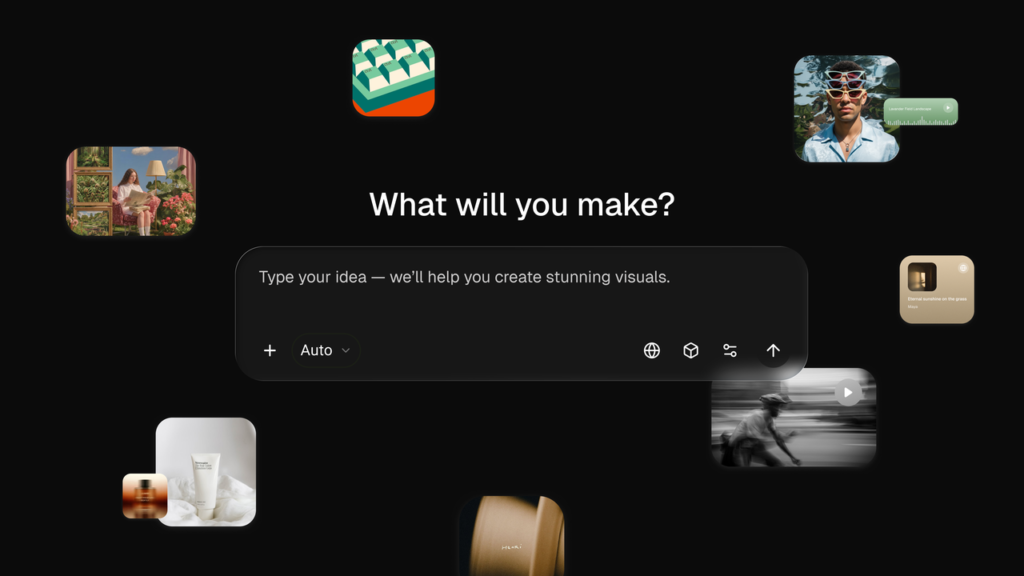
How Enter Pro Accelerates AI Chatbot Development
Enter Pro automates the creation of chatbot foundations with detailed prompts, eliminating manual setup. Chatbot objectives, audiences, workflows and preferred functionality are defined by natural language descriptions rather than lengthy configuration. Instead of rebuilding major parts of applications, developers can tailor the generated applications with built-in editing tools. A single workspace is used for interface design, backend management, collaboration and deployment. Rapid iterations are possible because changes enhance existing projects rather than starting a new one. Converge AI streamlines chatbot development by providing a single hub for resources, making it easier to plan, build, and publish, and allowing for future enhancements as needed.
Core Features That Simplify AI Chatbot Creation
Several integrated capabilities simplify chatbot development while reducing unnecessary manual work. Enter AI strengthens this experience by supporting intelligent workflows throughout the creation process.
Key features include:
- Create chatbot bases automatically from natural language descriptions of goals and operation.
- Select AI models such as GPT, Claude, Gemini, GLM, and DeepSeek for conversational intelligence.
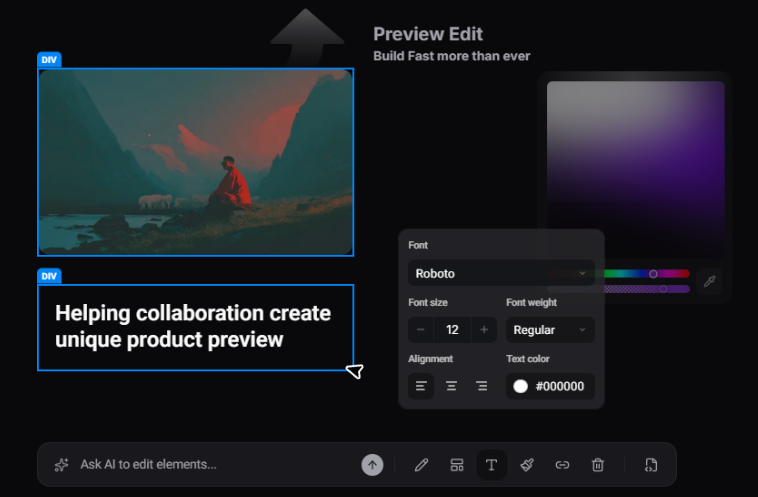
- Customize chatbot interfaces without rebuilding entire applications with the Visual Editor.
- Integrate databases, storage, and services for chatbots to work.
- Work effectively together in a shared workspace with project management tools.
- Create visuals and promotional graphics for chatbots with Framia Pro for uniformity in digital representation.
Create AI Chatbots Without Starting From Scratch Using Enter Pro
Step 1: Define your chatbot idea
- Start by accessing Enter Pro and signing up. Navigate to the “Home” tab available in the left vertical menu bar.
- Enter a prompt that explains the type of AI chatbot you want to create.
- Add details about your chatbot’s purpose, target users, main features, conversation flows, design preferences, and workflows.
- Upload relevant files by selecting the “+” tab to provide additional guidance for the AI.
- Use the “Skills” tab to add up to 5 skills that help improve chatbot generation accuracy.
- From the “Models” tab, select suitable AI models such as “DeepSeek”, “GLM”, “Gemini”, “GPT”, “Claude”, and other available options.
- Enter Pro analyzes the information you provide and generates the first version of your AI chatbot, creating a strong foundation for further improvements and customization.
Step 2: Customize chatbot features
- Open the “Visual Editor” to personalize your chatbot interface and experience.
- Adjust layouts, update chatbot content, modify branding, and connect databases or third-party services.
- Developers can add custom code to expand chatbot capabilities and include additional functionality when required.
Step 3: Test and deploy your chatbot
- Use “Preview” to review chatbot conversations, test workflows and integrations, and make any final adjustments before deployment.
- After completing all improvements, select “Publish” to launch your chatbot and continue upgrading it as your business needs grow.
Building More Capable AI Chatbots Through Unified Infrastructure
Behind conversational intelligence, solid supporting infrastructure is required for reliable chatbot performance. Converge AI offers built-in databases to securely store user data, conversation history, preferences and app data. Authentication features are valuable for controlling access and safeguarding delicate chatbot interactions. Serverless functionality can handle background jobs without the need for a separate infrastructure. Uploaded files, chatbot assets, documents, and multimedia content are easily managed with cloud storage. Third-party integrations include linking chatbot apps with business platforms, analytics services, payment gateways, and productivity applications. Framia Pro extends these technical features with the ability to handle creative assets to enhance the chatbot’s presentation and to help maintain organized workflows during development and deployment.
Optimizing Chatbot Development with Unified AI Models
Choosing AI models that align with project needs and anticipated chatbot interactions can enhance the performance of the chatbot in achieving its goals. For customer support, assistants might need to focus on providing accurate responses, whereas creative assistants might need to be more adept at using a wider range of language. With flexible model selection, developers can enhance the quality of conversations without having to redesign entire chatbot applications. Additionally, AI models can automate repetitive communication tasks in various contexts, making workflows more efficient. Scalable architecture is essential for larger chatbot projects, allowing for the addition of more features and functions as the bot’s development is organized. Converge AI integrates various top-tier AI models under a single roof, enabling developers to test, compare results, and fine-tune the performance of their chatbots as per evolving business needs.
Managing AI Chatbot Projects Through Collaborative Workspaces
Designers, developers, product managers, and business stakeholders typically collaborate during various phases of a chatbot development project. Shared workspaces coordinate resources and maintain associations between discussions, project assets and development activities. Permission management enables administrators to manage access to contributors based on their permissions. AI collaboration aids in reviews, feedback and task completion without hindering project organization. Chatbot resources are available in one location and not across a range of systems, thus minimizing confusion. Development teams can update the functionality, interface, integration and conversational flows of the chatbots, while keeping the project structure consistent within Converge AI, making the continuous improvement process easier.
Expanding Chatbot Experiences with Framia Pro
But effective chatbot experiences require not only conversational abilities but also visual presentation. With Framia Pro, customers can brand their chatbots, create logos, interface graphics, promotional banners, social media visuals, and marketing materials that enhance their digital identity. Unified visual elements enhance recognition as a whole, from websites to applications, from campaigns to communications. Promotional graphics are another asset that helps to promote chatbots when they are launched by producing professional marketing materials that are in line with the brand guidelines. Consistency is important for visuals, as the interface for the chatbot and promotional materials adhere to similar design principles. These creative features, in conjunction with Enter Pro, enable organizations to provide chatbot solutions with uniform branding across a number of customer touchpoints.
Conclusion
Now you don’t need to build AI Chatbots from scratch any more. Enter Pro, which provides AI-powered foundations, customization options, collaboration capabilities, built-in infrastructure, and deployment workflows. Teams can fine-tune chatbot performance and keep track of projects in an organized way at all stages of development. Framia Pro adds to this by enabling visual branding and promotional materials, enhancing chatbot experiences within the Converge AI ecosystem.
