


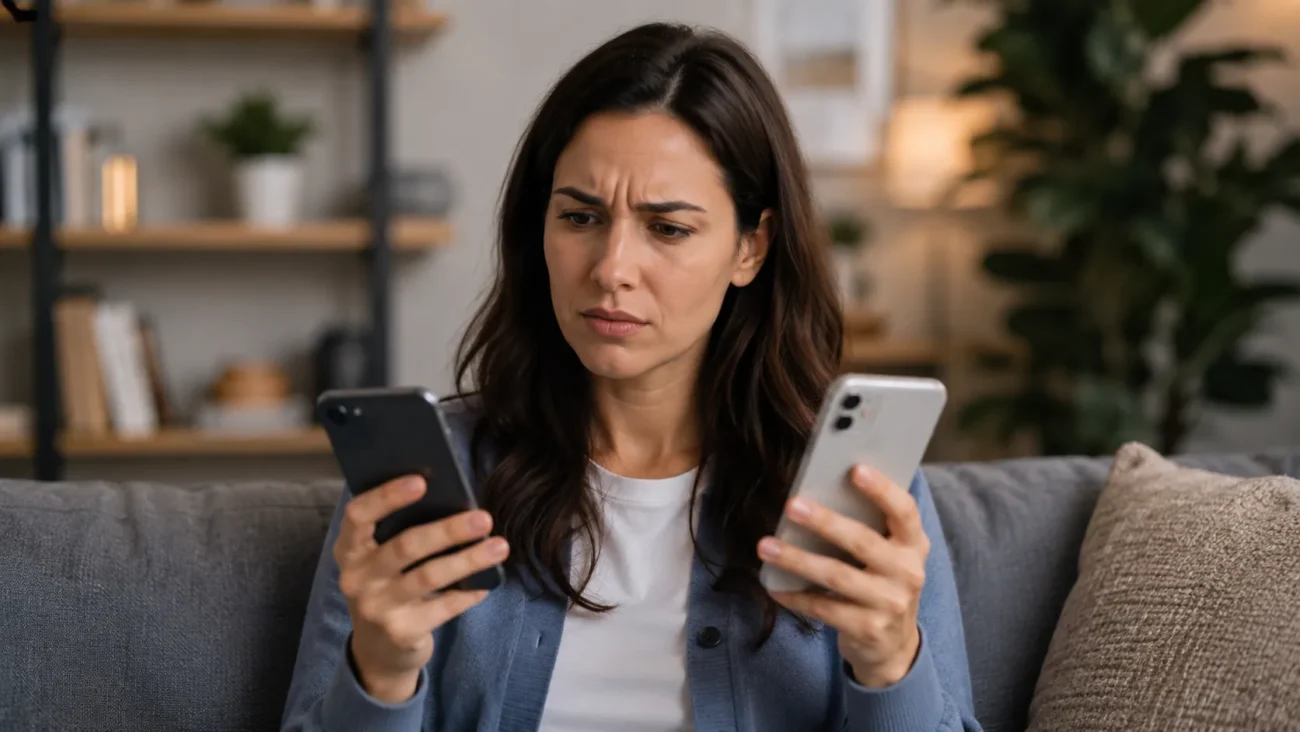
Can you have two phones with the same number is one of those questions that sounds simple, but the real answer depends on what you mean by “same number.” If you mean two regular smartphones using the exact same active SIM card or eSIM cellular line at the same time, the answer is usually no. Most mobile carriers tie one phone number to one active SIM or eSIM profile at a time.
But if you mean using one phone number on two phones for calls, texts, business communication, or backup access, then the answer can be yes through the right setup. You may be able to use carrier number sharing, call forwarding, a VoIP app, a virtual phone number, or a business phone system.
The best method depends on whether you want calls only, texts too, the same outbound caller ID, support for 2FA codes, or a shared number for a team.
The Short Answer: Can Two Phones Use the Same Number?
In most cases, two phones cannot use the same phone number through a normal SIM or eSIM setup at the same time. A standard mobile number is usually connected to one active physical SIM or eSIM profile. When your carrier activates that number on a new phone, the old phone’s cellular service often stops working.
However, there are legitimate ways to make the same phone number work on multiple devices. For example, Verizon says its Number Share feature lets users make and receive calls using one shared telephone number across eligible Verizon LTE devices, with support for up to five connected devices. AT&T’s NumberSync also links a wireless phone number with compatible devices such as tablets, smartwatches, and smart speakers so users can make calls from those devices using their smartphone number.
So the most accurate answer is this:
You usually cannot activate the same carrier SIM number on two regular smartphones at once, but you can use one number across two phones or devices through carrier features, call forwarding, VoIP, or a business phone app.
That distinction matters because same number on two phones can mean several different things. Some people want two phones to ring at once. Others want SMS messages on both devices. Business owners may want one shared business phone number for multiple employees. A traveler may want a backup phone. A minimalist phone user may want a dumb phone on weekends while keeping the same main number.
Each goal has a different solution.
Same Number on Two Phones vs Two Numbers on One Phone
A common mistake is confusing one number on two phones with two numbers on one phone. These are not the same thing.
Two numbers on one phone usually refers to Dual SIM or eSIM. For example, Apple explains that Dual SIM can be used to keep one number for business and another for personal calls, or to add a local data plan while traveling. Apple also notes that both numbers can make and receive calls and send messages, although the iPhone uses one cellular data network at a time.
That means Dual SIM is useful if you want:
| Setup | What It Means |
| Two numbers on one phone | One phone has two active numbers, such as work + personal |
| Same number on two phones | One number is accessible from two devices |
| SIM swapping | One number moves between phones, but only one phone is active |
| Carrier number sharing | One number is shared with eligible connected devices |
| VoIP / virtual number | One app-based number works across multiple devices |
So, if someone asks, “Can I use the same eSIM on two phones?”, the answer is usually different from, “Can I have two phone numbers on one iPhone?” An eSIM makes it easier to activate or transfer a line, but it does not automatically allow a single cellular line to be fully active on two smartphones at once.
Why One SIM or eSIM Usually Cannot Work on Two Phones at Once
A SIM card or eSIM is not just a storage chip. It helps your carrier identify your subscription on the cellular network. Your phone number, carrier plan, and device access are connected through the carrier’s provisioning system.
With a physical SIM, the limitation is obvious: the card can only sit inside one phone at a time. With an eSIM, the process feels more digital, but the basic rule is often similar. The eSIM profile is normally activated for one device. Apple’s eSIM transfer support notes that when a cellular plan activates on a new iPhone, it deactivates the previous SIM.
That is why you usually cannot have one SIM card working in two phones at the same time. If you move the SIM from your old phone to your new phone, your old phone may still use WiFi, apps, and stored data, but it will not keep the same active cellular number unless another supported service is involved.
This also explains why SIM cloning is not a safe answer. Trying to copy a SIM or duplicate a number can violate carrier rules, create security problems, and expose your accounts to fraud. Terms like SIM cloning, number cloning, and SIM swap fraud are connected to serious privacy and account-security risks. A legitimate setup should use carrier-supported features, forwarding, VoIP, or a business phone system instead.
The Main Ways to Use One Phone Number on Two Phones
If your goal is to use one phone number on two phones, there are several practical methods. Each one works differently, especially for calls, SMS, MMS, RCS, iMessage, WhatsApp, and two-factor authentication.
| Method | Best For | Calls | Texts | Same Outbound Caller ID? |
| Carrier number sharing | Eligible carrier/device users | Usually yes | Depends on carrier/device | Usually yes |
| Call forwarding | Making another phone ring | Yes, incoming calls | Usually no | Usually no |
| VoIP / virtual number | Personal or business multi-device use | Yes | Usually, but varies | Yes through app |
| Business phone system | Teams, sales, support | Yes | Usually yes | Yes |
| SIM swapping | Manually switching phones | One phone at a time | One phone at a time | Yes, on active phone only |
The important thing is to choose based on what you actually need. If you only want calls to ring on a second device, call forwarding may be enough. If you need a number for a business team, a cloud phone system or VoIP business phone system is usually better. If you need carrier-level calling from a smartwatch or tablet, carrier number sharing may be the right path.
Option 1: Carrier Number Sharing Services
Carrier number sharing is the closest legitimate version of having the same number on multiple devices. It allows a phone number from a main or host line to work with eligible connected devices. But the key word is eligible.
Verizon’s Number Share lets a host phone number be shared with compatible connected devices. Verizon says the feature can share your mobile number on up to five connected devices, and its terms explain that the host smartphone’s number is shared by eligible extension devices for calls. AT&T’s NumberSync similarly allows users to link their smartphone number to a compatible synced device and make or receive calls using that smartphone number, even when the phone is not nearby.
Carrier options may include services such as:
- T-Mobile DIGITS
- Verizon Number Share
- Verizon One Talk
- AT&T NumberSync
- Smartwatch number-sharing plans
- Tablet or connected-device add-ons
- Business account shared-line features
But there are limits. Many carrier number-sharing features are designed for smartwatches, tablets, laptops, or business devices, not always two full smartphones. Some features require a postpaid plan, a compatible device, a specific account type, or an extra line fee. Some may support calls better than texts. Others may not support all features on all host devices.
For this reason, carrier number sharing is best when you want a carrier-supported setup and are willing to follow your carrier’s compatibility rules.
Option 2: Call Forwarding to Make Two Phones Ring
Call forwarding is one of the easiest ways to make one number reach another phone. If your main phone receives a call, you can forward that call to a second phone. Some carriers also support conditional call forwarding, which only forwards calls when your main phone is busy, unanswered, or unreachable.
This is useful if you are asking, “How do I make one phone number ring on two phones?” It can help with a backup phone, a work phone, or a temporary travel setup. It also works well when you want to avoid missed calls while your main phone is charging, lost, or turned off.
But call forwarding is not the same as full number sharing. It usually does not forward SMS text messages, MMS picture messages, RCS chats, or 2FA codes. Also, if you call someone from the second phone, the recipient may see the second phone’s number rather than your main number unless you use a carrier feature or calling app.
Call forwarding is best for simple incoming-call coverage. It is not the best answer if you need both phones to behave like the same full mobile line.
Option 3: VoIP and Virtual Phone Number Apps
A VoIP service or virtual phone number app can be a strong solution if you want one number to work on multiple phones, tablets, or computers. VoIP stands for Voice over Internet Protocol, which means calls and messages happen through an internet connection instead of a traditional cellular voice line.
Apps and services in this category may include Google Voice, OpenPhone, Dialpad, Ooma, Grasshopper, Line2, Sideline, TextNow, Burner, Hushed, eVoice, and similar business phone apps.
The biggest benefit is flexibility. You can often sign in to the same account on multiple devices and use the same number for calls and texts. That makes VoIP useful for:
- Freelancers who want a separate business number
- Small businesses that need a shared phone number
- Remote teams
- Customer support lines
- People using both iPhone and Android
- Users who want a number on a phone and computer
However, VoIP has trade-offs. It depends on WiFi or mobile data, so call quality can be affected by latency, jitter, or poor internet connection. Some VoIP numbers may not work reliably for bank verification, OTP text messages, or other two-factor authentication codes. Emergency calling can also work differently than a standard mobile line, depending on the service.
For business users, a VoIP or cloud phone system is often more practical than trying to force one carrier number onto two smartphones.
Option 4: Business Phone Systems for Teams
If the real goal is to let several people answer one number, a business phone system is usually the cleanest option. Instead of trying to duplicate a personal SIM, the business uses a shared number that works through an app, desktop dashboard, or connected devices.
A business phone system can offer features that normal call forwarding cannot, such as call routing, ring groups, shared inboxes, team SMS inboxes, call recording, voicemail transcription, auto attendant, IVR, business hours voicemail, CRM integrations, and admin controls.
This is especially useful for:
| Business Use Case | Best Feature |
| Customer support team | Ring groups and shared inbox |
| Sales team | Caller ID, call logs, CRM integrations |
| Real estate agents | One public number for leads |
| Contractors | Business line separate from personal phone |
| Field service teams | Multi-device access and voicemail routing |
| Healthcare or sensitive industries | Access control and compliance review |
For a business, using a shared business phone number is often better than sharing a personal mobile number. It protects employee privacy, keeps business conversations organized, and allows role-based access when people join or leave the team.
Option 5: SIM Swapping Between Two Phones
SIM swapping is the simplest low-tech method, but it does not mean both phones are active at the same time. With a physical SIM, you remove the SIM card from one phone and insert it into another. Your number then works on the phone that currently holds the SIM.
This can help if you want to use a smartphone during the week and a dumbphone on weekends. It can also help when switching between an old phone and new phone, or when carrying a backup phone during travel.
The downside is convenience. You must physically move the SIM, and only one phone has cellular service at a time. If your number uses eSIM, switching may require a carrier-supported eSIM transfer process instead of simply moving a card. As noted earlier, activating the plan on a new iPhone can deactivate the previous SIM.
SIM swapping is best when you are comfortable using only one active phone at a time.
Can You Receive Texts on Two Phones With the Same Number?
Text messages are where this topic becomes more complicated. Many users do not only want calls on two phones; they want SMS, MMS, RCS, iMessage, WhatsApp, and verification codes to show up on both devices.
The answer depends on the message type.
| Message Type | Can It Work on Two Phones? | What to Know |
| SMS | Sometimes | Depends on carrier sharing, app, or sync method |
| MMS | Sometimes | Picture messages and group texts may be limited |
| RCS | Limited | Often tied to a main phone or specific client |
| iMessage | Yes across Apple devices, with setup limits | Apple ID and message settings matter |
| Yes through linked devices | Companion mode can help | |
| 2FA / OTP codes | Unreliable | Banks and services may block forwarding or VoIP numbers |
Call forwarding usually does not forward texts. If you forward calls from one phone to another, your SMS messages will normally still go to the original active SIM device unless your carrier or app provides message syncing.
Apple users may see messages across Apple devices through iMessage, iCloud Messages, and Continuity-style features, but that is not the same as having one carrier SIM active on two iPhones. Android users may use tools like web or device pairing features for message access, but again, that does not always create full two-phone cellular texting.
For WhatsApp, linked-device features can help you use the same WhatsApp account on more than one device, but WhatsApp is separate from your carrier’s SMS number. It does not make two SIMs active with the same phone number.
Will 2FA, OTP, and Bank Verification Codes Work on Both Phones?
This is one of the most important questions. Many people want two phones with the same number because they do not want to miss verification codes, bank OTP codes, or two-factor authentication messages.
Unfortunately, this is also one of the least reliable parts of number sharing.
Some banks and online services do not accept VoIP numbers for verification. Some SMS codes may not forward through call forwarding. Some carrier number-sharing features may handle calls well but have limits around texts, picture messages, or authentication codes. And if multiple people can access the same number, that can create privacy and security risks.
For sensitive accounts, it is usually safer to use:
- Authenticator apps
- Passkeys
- Hardware security keys
- Backup codes
- Account recovery options
- Strong device locks and passwords
For business phone systems, avoid letting multiple employees access personal 2FA codes through a shared SMS inbox. Use role-based access, admin controls, and separate authentication methods whenever possible.
Can You Have the Same Number on iPhone and Android?
Yes, you may be able to use the same number on iPhone and Android, but not usually by activating the same SIM line on both devices at once.
If you want one number to work across an iPhone and an Android phone, a VoIP app or virtual phone number is often the easiest cross-platform option. Apps like Google Voice or business phone services can work on both ecosystems because they are not tied to one phone’s SIM card in the same way.
Carrier number-sharing options may also work in some cases, but they depend heavily on your carrier, plan, and device compatibility. A feature that works with a smartwatch or tablet may not work the same way with two full smartphones.
Messaging can also behave differently. iMessage is Apple-specific, while RCS is more common on Android and depends on carrier/app support. WhatsApp can work across platforms through linked-device features, but it does not replace carrier-level number sharing.
For iPhone + Android users, VoIP is usually the simplest option if you want one number available on both phones.
Can You Use the Same Number on a Smartphone and Dumbphone?
Many people want this setup for a digital detox. They may use an iPhone for work during the week and a dumb phone or minimalist phone on weekends. The goal is to reduce screen time and phone addiction without losing the main number.
The best method depends on the dumbphone.
If the dumbphone supports your carrier’s SIM, SIM swapping may be the simplest option. You move the SIM into the dumbphone when you want a break from your smartphone. The drawback is that your smartphone will not have active cellular service while the SIM is in the dumbphone.
If you want calls to reach the dumbphone while keeping the smartphone active, call forwarding may help. But texting can be limited, especially for MMS, group texts, RCS, and app-based messages.
If the dumbphone supports modern apps, you may be able to use WhatsApp or a VoIP app, but many simple phones do not support the same apps as smartphones.
For a weekend phone setup, the most realistic choices are SIM swapping for full number use on one device at a time, or call forwarding for basic incoming calls.
Is SIM Cloning a Safe or Legal Way to Use One Number on Two Phones?
No. SIM cloning is not a recommended way to use one number on two phones.
SIM cloning means trying to copy the identity of one SIM so another SIM or device can impersonate it. This can break carrier rules, create service problems, and expose you to fraud. It is also closely related to security risks such as SIM swap fraud, account takeover, stolen verification codes, and unauthorized access to personal accounts.
A safe setup should use legitimate options such as:
- Carrier-supported number sharing
- Call forwarding
- VoIP or virtual phone number apps
- Business phone systems
- Manual SIM swapping when only one phone needs to be active
If a method requires bypassing carrier controls, copying SIM credentials, or tricking the mobile network, avoid it. It is not worth risking your number, accounts, or privacy.
Best Method by Use Case
The right solution depends on why you want two phones with the same number.
| Use Case | Best Method | Why |
| Personal phone + work phone | VoIP or carrier number sharing | Keeps one number accessible without carrying two personal lines |
| Old phone + new phone | SIM transfer or temporary call forwarding | Good during device transition |
| Backup phone | SIM swapping or call forwarding | Simple for emergencies |
| Travel phone | VoIP or carrier add-on | Works well across internet-connected devices |
| iPhone + Android | VoIP / Google Voice-style app | Better cross-platform support |
| Smartphone + dumbphone | SIM swapping or call forwarding | Works for digital detox setups |
| Small business team | Business phone system | Supports shared inboxes and call routing |
| Customer support team | Cloud phone system | Better for ring groups, voicemail, and call logs |
| Sales team | Shared business number | Keeps leads and conversations organized |
| Family emergency phone | Call forwarding or separate line | Avoids confusion with private texts and 2FA |
Here is a simple rule: if this is for personal convenience, try call forwarding, carrier number sharing, or SIM swapping. If this is for business, use a dedicated business phone system or virtual number instead of sharing a personal cellular number.
Carrier Number Sharing vs Call Forwarding vs VoIP
Here is the easiest way to compare the three main solutions.
| Feature | Carrier Number Sharing | Call Forwarding | VoIP / Virtual Number |
| Incoming calls on two devices | Usually yes | Yes | Yes |
| Outgoing calls with same caller ID | Usually yes | Usually no | Yes through app |
| SMS support | Depends | Usually no | Usually yes, varies |
| MMS / group texts | Depends | Usually no | Varies |
| Works without internet | Usually yes | Usually yes | No |
| Works on iPhone + Android | Depends | Yes for calls | Usually yes |
| Good for teams | Limited | Limited | Strong |
| Good for 2FA | Better than VoIP, but still varies | Limited | Mixed |
| Setup difficulty | Carrier-dependent | Easy | Easy to moderate |
If you want the setup to feel like a normal carrier line, start with your carrier’s number-sharing options. If you only want missed calls to reach another phone, use call forwarding. If you want one number across many devices or team members, use VoIP or a business phone app.
Regional, Carrier, and Plan Limitations
This topic changes by country, carrier, device, and plan. A feature available in the United States may not be available in the UK, Canada, Australia, Pakistan, India, or another region. Even within one country, a carrier may offer number sharing for smartwatches but not for two smartphones.
You should also check whether your account is prepaid or postpaid. Some advanced number-sharing features are limited to postpaid plans, business accounts, or eligible connected devices. Business plans may include more options than consumer plans.
Before buying a second phone for this purpose, check:
- Whether your carrier supports number sharing
- Whether your device is eligible
- Whether SMS/MMS works on the second device
- Whether the feature supports two smartphones or only wearables/tablets
- Whether there is an extra monthly charge
- Whether your plan is prepaid, postpaid, consumer, or business
This step prevents frustration later.
Safety Checklist Before Using One Number on Two Phones
Before relying on one number across two phones, test the setup carefully. A method that works for calls may fail for texts. A method that works for personal messages may not work for bank codes.
Use this checklist:
| Safety Check | Why It Matters |
| Test incoming calls | Make sure both devices ring as expected |
| Test outbound caller ID | Confirm people see the right number |
| Test SMS and MMS | Texting support varies by method |
| Test 2FA codes | OTP messages may fail on VoIP or forwarding |
| Check voicemail | Make sure missed calls go to the right inbox |
| Lock both devices | Protect private messages and contacts |
| Avoid SIM cloning | It is risky and may violate carrier rules |
| Review business access | Use admin controls and role-based access |
| Confirm emergency calling | VoIP services may handle emergency calls differently |
For personal use, privacy is the biggest concern. For business use, accountability matters too. If multiple people can answer one number, you should know who can see messages, call logs, voicemail, and customer data.
Conclusion: What Is the Best Way to Have Two Phones With the Same Number?
So, can you have two phones with the same number? With a normal SIM or eSIM setup, usually no—not as two fully active smartphones using the same carrier line at the same time. But in practical terms, you can often make one phone number work on two phones through the right method.
For basic calls, call forwarding may be enough. For eligible devices, carrier number sharing can be the closest official option. For iPhone + Android, business use, remote teams, or multi-device access, a VoIP service or business phone system is often the most flexible choice. For dumbphone weekends or backup phones, SIM swapping can work as long as you understand that only one phone is active at a time.
The best setup is the one that matches your real need: calls, texts, business access, travel, backup communication, or security.
FAQs About Having Two Phones With the Same Number
Can two phones have the same number at the same time?
Usually not through a standard SIM or eSIM. A normal carrier line is typically active on one SIM or eSIM profile at a time. However, carrier number-sharing features, VoIP apps, and business phone systems can make one number work across multiple devices.
Can I use the same SIM card in two phones?
No, not at the same time. A physical SIM card can only be inside one phone at once. You can move it between phones, but only the phone currently holding the SIM will use that number.
Can I use the same eSIM on two phones?
Usually no. An eSIM profile is typically activated on one device. When transferred to a new phone, the old phone’s cellular service may be deactivated.
Does call forwarding send text messages too?
Usually no. Call forwarding is mainly for voice calls. SMS, MMS, RCS, and verification codes usually need separate carrier support, app syncing, or a VoIP/business phone solution.
Can I receive verification codes on two phones?
Sometimes, but it is not reliable. 2FA, OTP, and bank verification codes may not work with VoIP numbers, forwarded numbers, or synced devices. For security, authenticator apps or passkeys are often better.
Can Google Voice work on two phones?
Yes, app-based services like Google Voice can generally be used across multiple devices when you are signed in. However, support for SMS, verification codes, emergency calling, and number porting can vary by service and region.
Is it legal to clone a SIM card?
SIM cloning is not a safe or recommended solution. It can violate carrier rules, create security risks, and expose you to fraud. Use official carrier features, forwarding, VoIP, or business phone systems instead.
